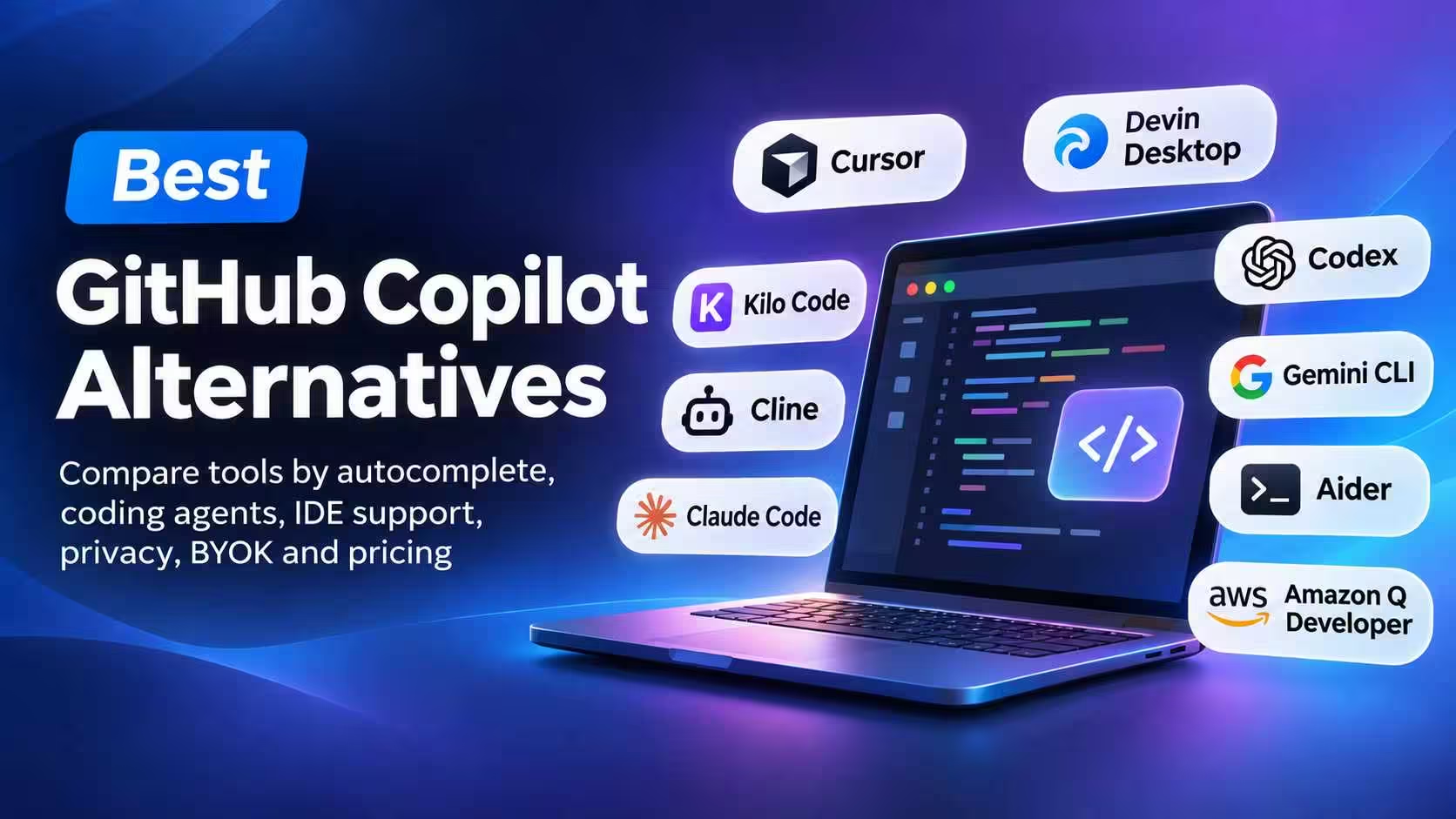
GitHub Copilot is no longer just an autocomplete extension. Depending on your plan and setup, it can suggest code inline, answer questions in your editor, work across a repository, run agent tasks, review pull requests and connect to the GitHub workflow.
That makes “the best Copilot alternative” a slightly misleading question. The right replacement depends on the part of Copilot you actually use.
- If you mainly press Tab, you need another completion tool.
- If you want an AI-native editor, Cursor or Devin Desktop is a different kind of switch.
- If you want an agent that works from a terminal, Claude Code, Codex, Gemini CLI or Aider may fit better.
- If you want provider choice or local models, Kilo Code or Cline are more relevant.
- If deployment control matters most, the answer changes again.
This guide compares those workflows rather than pretending every product replaces every Copilot feature.
If your real need is automated pull-request feedback rather than help writing code, that is a different category covered in our AI code review tools guide. If you are choosing model providers for a BYOK workflow, our AI APIs guide covers that adjacent decision. This article stays focused on replacing Copilot inside the development workflow.
Quick answer
| What you want to replace | Best place to start | What changes when you switch |
|---|---|---|
| Inline completion plus an AI-native editor | Cursor | You leave your current editor and adopt a hosted editor workflow |
| Editor plus coordinated background agents | Devin Desktop, formerly Windsurf | The product is organized around agent sessions as well as editing |
| Open-source IDE/CLI assistant with provider choice | Kilo Code | You manage inference separately from the client |
| BYOK or local-model agent inside an IDE | Cline | It is an agent workflow, not a Copilot-style Tab replacement |
| Private enterprise coding assistance | Contact Tricentis about the current Tabnine direction | The product changed ownership; do not assume the old standalone offer remains unchanged |
| Terminal-first coding | Claude Code | You give up inline completion and work through a terminal agent |
| Approval-controlled agent across terminal, IDE and desktop | Codex | It is a coding agent, not a feature-for-feature Copilot replacement |
| Free/open-source terminal agent | Gemini CLI | Free quota is hosted and limited; it is not local inference |
| Git-native terminal pair programming | Aider | You get repository and Git workflows, not inline suggestions |
| AWS-heavy IDE or CLI development | Amazon Q Developer | Its strongest reason to exist is AWS context and governance |
What GitHub Copilot includes now
GitHub’s current documentation describes Copilot across inline suggestions, chat, codebase context, agent mode, CLI, cloud agents and code review. It also supports several editor surfaces and is closely connected to GitHub’s issues, branches, pull requests and Actions workflow.
That baseline matters. A tool that can edit a repository from a terminal may be excellent, but it is not automatically a replacement for the small inline suggestion you accept while typing. Compare the job you want to replace, not the marketing category.
GitHub also describes plan-specific AI-credit behavior. Chat, agents, code review and CLI usage can have different cost treatment from inline completion. Check the current GitHub Copilot plans and official feature documentation before treating any price or quota as permanent.
This is narrower than our broader AI coding assistants article, which looks at assistant use across real shipping work. Here, the question is specifically what you replace when Copilot no longer fits.
The comparison
| Tool | Best for | Inline autocomplete | Free-access model | Main limitation |
|---|---|---|---|---|
| Cursor | Completion plus multi-file agent work | Yes | Limited hosted tier | Requires switching editors; usage is separate from the editor |
| Devin Desktop | Editor work plus coordinated agent sessions | Yes, inherited editor workflow | Limited plan access | Windsurf-to-Devin changes make older comparisons easy to misread |
| Kilo Code | Completion, agents and BYOK across IDE/terminal | Yes | Free client; inference separate | You manage inference and cloud-compute costs |
| Cline | BYOK or local-model agentic edits | No | Free client; provider cost varies | Does not replace Tab completion |
| Claude Code | Delegating repository tasks from a terminal | No | Plan/API dependent | No inline completion |
| Codex | Approval-controlled coding tasks | No direct Copilot-style inline completion | Plan/API dependent | Not a feature-for-feature autocomplete replacement |
| Gemini CLI | Open-source terminal work | No | Limited hosted quota | Quotas and service availability can change |
| Aider | Repository edits with Git discipline | No | Free client; provider cost varies | Terminal workflow only |
| Amazon Q Developer | AWS-heavy IDE or CLI development | Yes | Free tier with limits | Less compelling outside AWS-centric teams |
For a free inline-completion path, check the limits of Amazon Q Developer’s Free tier or use Kilo Code’s free client with a provider or local model. Neither means unlimited free inference. For a free terminal-agent path, Gemini CLI is the clearest candidate, but its quota is hosted and limited. Provider, local-model and privacy details appear in each section below.
The important like-for-like choices
Cursor or Devin Desktop?
Both can replace more than a basic completion extension, but they emphasize different surfaces. Cursor is the more direct choice when the editor and its Tab workflow are the center of your day. Devin Desktop is the more relevant choice when you want an editor alongside a command center for agent sessions, background work and review states. Cursor is an editor-first decision; Devin Desktop is an editor-plus-orchestration decision.
Before switching, verify the current editor features, plan boundaries, background-agent behavior and data path. Do not decide from an old Windsurf comparison or from a claim that one produces better code; no comparable test was run here.
Kilo Code or Cline?
Kilo Code is the broader open-source surface: its current product page covers VS Code, JetBrains and CLI extensions, completion, agentic coding, any model, BYOK and local models. Cline is the more focused agent choice when you want to keep your environment and choose a hosted or local provider through the agent configuration.
The practical choice is completion plus flexibility versus agent control. Kilo Code belongs in the comparison when inline completion matters; Cline is the better fit when local/BYOK agent behavior matters more. In both cases, verify which provider receives code and who pays for inference.
Claude Code or Codex?
Both are repository-level agents, not inline-completion replacements. Claude Code is the more focused terminal workflow with Anthropic subscription, API and enterprise access paths. Codex spans an open-source CLI with approval modes plus IDE and desktop surfaces, and its access path changes depending on whether you use a ChatGPT plan or an API key.
The decision is about control surface and account model, not an unsupported quality ranking. Claude Code fits a terminal-first Anthropic workflow; Codex fits explicit approval modes and multiple OpenAI surfaces. Verify permissions, model access, billing and network behavior before moving real code.
Gemini CLI or Aider?
Gemini CLI is the better starting point when open-source distribution and a current Google-account/API quota path are the priority. Aider is the better starting point when the Git repository is the center of the workflow: its documentation emphasizes repository maps, commits, undo and multiple providers, including local options.
Gemini’s free path is hosted and quota-limited. Aider’s client is free, but the model provider or local hardware is your responsibility. Neither replaces inline completion. Verify the quota, provider, model, Git behavior and local hardware before switching.
1. Cursor: the closest editor replacement
Cursor is the clearest starting point if you want Copilot-style completion but are willing to move into an AI-native editor. Its product combines editor integration, native Tab completion, chat and agent workflows. Read the current Cursor pricing, models and pricing documentation and data-use and privacy overview together: the editor, model usage and data path are related but not identical.
The trade-off is editor migration. You are adopting Cursor’s editor, model routing and usage model rather than installing one small extension into the environment you already use. Cursor’s documentation also makes an important privacy distinction: Privacy Mode affects how code is retained and used, but AI requests still pass through Cursor and model-provider infrastructure. Read the data-use and privacy overview before treating it as a local or self-hosted tool.
Cursor pricing can change quickly, and its public pricing surfaces do not always present the same information. Do not rely on an old monthly figure. Check the current plan and usage documentation directly before buying.
Cursor fits when inline completion and an AI-native editor are the main reason you are leaving Copilot. The cost is moving from your current editor to Cursor’s workflow.
2. Devin Desktop: editor plus agent command center
Devin Desktop is the current name for Windsurf. Its official product page says the rename preserves plans, extensions, settings and in-progress work while adding a command-center experience for managing agents.
That makes Devin Desktop a hybrid recommendation. It is not merely a completion plugin, but it is also not only a remote terminal agent. The product is aimed at developers who want an editor and a way to manage multiple agent sessions, reviews and longer-running work.
The important caveat is freshness. Older Windsurf articles can describe a product surface or plan that no longer maps cleanly to Devin Desktop. Start with the current Devin Desktop page rather than a cached comparison.
Devin Desktop fits when you want to keep an editor while moving toward coordinated agent work. Its command-center model is broader than inline suggestions plus chat.
3. Kilo Code: open-source client, provider choice
Kilo Code is a strong fit when you want one assistant across VS Code, JetBrains and the CLI without locking the workflow to one model provider. Its current pricing and capability page describes an open-source client with code completion, generation, agentic coding, BYOK and local-model options.
The pricing distinction is unusually important. The individual client is free, but AI inference and cloud compute are separate parts of the cost. You can choose free models, local models, your own provider key, Kilo Gateway or Kilo Pass. That is not the same as unlimited free AI.
Kilo Code is more flexible than Copilot in provider choice, but that flexibility creates configuration and billing decisions Copilot usually hides behind one product relationship.
Kilo Code fits when you want completion and agents while controlling the model/provider path. That flexibility also leaves you responsible for provider configuration and cost.
4. Cline: an agent in your existing environment
Cline is for developers who want agentic edits without moving to a new AI-native editor. Its authorization documentation describes hosted usage billing, ClinePass, BYOK and local providers; its local-model documentation covers the local path.
That makes Cline a useful Copilot alternative for a different reason: control over the model connection. It can work with cloud providers or a local runtime, and its documentation exposes the provider choice instead of making it invisible.
Cline should not be sold as a Tab-completion replacement. It is an agent workflow. You ask it to inspect context, propose or make changes, use tools and iterate. If your main reason for paying for Copilot is accepting inline suggestions, Cline solves a different problem.
Cline fits when provider choice or local inference matters more than inline completion. It is an agent workflow, not Copilot-style completion.
5. Claude Code: terminal-first coding
Claude Code is a terminal coding agent. Anthropic’s current setup documentation covers installation, authentication and supported environments, while its cost documentation covers usage monitoring. It is built for repository-level work: inspect a project, edit files, run commands and continue through a task from the terminal.
That workflow is powerful precisely because it is not autocomplete. You state an intent, review the proposed work, inspect the diff and run the project’s checks. The terminal becomes the control surface.
Claude Code can be accessed through Anthropic subscription or API paths, and enterprise deployments can use supported cloud platforms. Do not describe it as a local-model alternative simply because the CLI runs on your machine.
Claude Code fits when you prefer delegating well-scoped repository tasks from a terminal. It changes the feedback loop from typing suggestions to reviewing delegated work.
6. Codex: agent with approvals and multiple surfaces
Codex is an open-source terminal coding agent with IDE and desktop surfaces. The official repository describes local execution, approval modes and the distinction between the local CLI, IDE use and cloud-based Codex surfaces. Use the current Codex pricing page for plan access rather than assuming the CLI and API have the same terms.
The approval model is the important decision factor. You can use a more cautious mode for exploration and proposed changes, or allow more autonomous editing inside a bounded environment. That is a different control model from Copilot’s inline suggestion flow.
Codex access depends on the product surface and whether you use a ChatGPT plan or an API key. Treat those as different billing and capability paths. The CLI being open source does not mean the model inference is free or local.
Codex fits when you want an agent that can work locally with explicit permission boundaries and more than one interface. It does not directly replace Copilot-style inline completion.
7. Gemini CLI: the free/open-source terminal path
Gemini CLI is an open-source terminal agent. Its repository and quota documentation describe a free usage path with limits that vary by Google account, subscription, API key and Vertex AI configuration.
This is one of the clearest options for trying an agent without immediately buying a dedicated coding-assistant seat. But “free” needs a qualifier: the client is open source, and the hosted service offers quota-limited access. That is not the same as running a local model or receiving unlimited inference.
Gemini CLI is a good fit for terminal work, repository exploration and agentic tasks. It is not a replacement for Copilot’s inline completion.
Gemini CLI fits when you want an open-source terminal agent with a current free quota path. Its quota is hosted and limited, and the tool is not an inline-completion replacement.
8. Aider: Git-native pair programming
Aider is a terminal-first tool whose strongest distinction is the relationship between the agent and Git. Its Git documentation, usage guide and LLM/provider documentation cover repository maps, commits and undo, testing, IDE/browser use and hosted or local model providers.
That makes Aider a good fit for developers who want the AI’s changes to remain legible as repository work. You choose the model provider separately, so Aider’s client being free does not make the model calls free. Local models are possible, but model quality and hardware become part of the decision.
Aider is not the right answer for someone who wants suggestions while typing. It is better for deliberate changes where the Git diff is part of the review loop.
Aider fits when Git history, repository context and provider choice matter more than inline assistance. Its natural unit of work is the repository change, not the line you are typing.
9. Amazon Q Developer: the AWS-specific choice
Amazon Q Developer is the most defensible finalist for AWS-heavy teams. AWS documents IDE and CLI capabilities and current pricing, including code suggestions, chat, agentic requests, a Free tier and a Pro tier.
The reason to choose it is not that it is universally better than Copilot. It is that AWS context, account controls and the surrounding AWS workflow may matter more than a generic assistant. Outside AWS-centric teams, that advantage is less compelling.
AWS currently lists Pro at $19 per user per month, but usage limits and product terms remain subject to change. Check AWS’s current pricing before publication.
Amazon Q Developer fits when your development work is tightly connected to AWS services and governance. Outside AWS-centric work, that advantage is less compelling.
Three switching scenarios
1. You mainly use inline completion in VS Code
Start with Amazon Q Developer’s Free tier or Kilo Code’s free client if you want to stay in an IDE. Cursor is the larger change if you are willing to move to an AI-native editor. Do not begin with Claude Code, Codex, Gemini CLI or Aider: they may help with repository tasks, but they do not replace the Tab loop that currently saves you time.
Trade-off: an IDE assistant preserves the typing workflow but may give you less terminal-oriented delegation; Cursor adds a new editor and its own hosted usage model.
Verify before switching: exact editor support, inline-completion availability on your plan, language coverage, quota behavior, privacy settings and whether your current rules or settings can move.
2. You want to delegate repository-level changes
Start with Claude Code, Codex, Gemini CLI or Aider. Pick Claude Code for a focused terminal workflow, Codex for approval-controlled multi-surface work, Gemini CLI for a free/open-source terminal entry point, and Aider when Git commits, undo and provider choice are central.
Trade-off: you gain a larger unit of delegation, but you must review diffs, test output, permissions and cost. You are changing the interaction model rather than finding a better autocomplete plugin.
Verify before switching: the agent’s approval mode, command permissions, repository access, test execution, model/provider billing, failure recovery and how the tool records or sends code context.
3. You prioritise provider control, privacy or local models
Start with Kilo Code or Cline for provider choice and local runtimes. Aider is another practical local-provider option when a terminal/Git workflow suits you. For enterprise private deployment, do not assume the old Tabnine offer is still available: verify the current Tricentis product and support model first.
Trade-off: local or BYOK paths give you more control, but you inherit provider configuration, model selection, hardware limits and billing. A local client does not automatically mean local inference.
Verify before switching: where prompts and code are processed, retention/training terms, API-key storage, local model runtime, model quality for your repository, hardware requirements and whether cloud features are enabled by default.
A reproducible way to compare tools
The following is a procedure you can run yourself; it is not the result of a Learn Dev Tools benchmark. Use the setup specification below with a small synthetic repository, never private production code.
Setup specification, not an existing repository: create a new repository named copilot-alternatives-fixture with this starting tree:
copilot-alternatives-fixture/
  src/todos.py
  tests/test_todos.py
  README.md
src/todos.py should expose an in-memory TodoStore with add_todo(title) and list_todos() methods. tests/test_todos.py should contain passing tests for adding and listing todos, and README.md should state the test command: python -m unittest discover -s tests.
Create one initial commit from exactly that tree and record its SHA. That recorded SHA is the fixed starting point for every comparison run; do not invent or reuse a hash from this article.
Use this fixed feature request for every tool: “Add complete_todo(todo_id) to TodoStore. It must mark one existing todo as complete, return the updated todo, raise KeyError for an unknown ID, and add regression tests for both paths. Update the README with one usage example.”
Acceptance criteria:
- Existing add/list behavior still passes.
- Completing a known ID sets a boolean
completedvalue toTrueand returns that todo. - Completing an unknown ID raises
KeyError. - The new behavior has automated tests for success and failure.
- The README example matches the implemented API.
- The final test command exits successfully from a clean checkout.
- Record the operating system, starting commit, tool version, model/provider, plan and authentication path.
- Give each tool the same feature request and the same permission level where comparable controls exist.
- Record the exact prompt, files read, files changed, commands run, tests passed or failed, errors, approvals requested, manual corrections and usage/quota shown by the tool.
- Inspect the final diff yourself and run the acceptance command independently.
- For an IDE assistant, record whether inline completion was available and whether the task required leaving the editor. For a terminal agent, record that it is being evaluated as delegation, not autocomplete.
Do not turn the result into a single “winner” score. Report observable differences, setup friction, corrections and limitations. This procedure can reveal which workflow fits you; it does not prove that one model is universally better.
What happened to Tabnine?
Tabnine belongs in the conversation because it historically offered IDE completions, chat and private deployment. Its status changed materially in 2026.
Tricentis announced that it acquired Tabnine and would integrate Tabnine’s Enterprise Context Engine into its agentic quality-engineering platform. Tabnine documentation and private-deployment claims may still be visible, but the former standalone pricing and product roadmap should not be treated as current without confirmation.
If you are evaluating Tabnine for an air-gapped or private environment, start with the Tricentis acquisition announcement and verify the current product, support commitment, deployment model and roadmap. Do not assume that an old Tabnine comparison still describes what a new customer can buy.
How to choose without losing your workflow
Before switching, write down which Copilot behavior you actually use:
- Tab completion: Choose a tool that explicitly supports inline completion. Cursor, Kilo Code, Devin Desktop and Amazon Q Developer belong in this group; verify exact editor and plan support.
- Editor chat: Compare context handling, supported editors and model access. Do not assume that a terminal agent provides the same experience.
- Multi-file agent work: Compare permissions, diffs, test execution and recovery behavior.
- Terminal work: Claude Code, Codex, Gemini CLI and Aider are the clearest categories.
- Provider flexibility: Kilo Code and Cline are stronger starting points when BYOK or local models matter.
- Privacy and deployment: Ask where code is sent, retained and processed. A local CLI is not automatically a local model.
- Team controls: Compare SSO, administration, auditability, deployment and billing rather than only model quality.
Migration checklist
- Record which IDEs and languages your team depends on.
- Separate inline completion from agent tasks in your evaluation.
- Check whether your current instructions, rules files and repository context can move.
- Review provider keys, local models, retention and training controls.
- Set spending limits before enabling usage-based agents.
- Run the same small task in a synthetic or non-sensitive repository.
- Inspect the diff and test output; do not judge from generated code alone.
- Keep Copilot available during the transition if completion is business-critical.
- Decide whether the new tool replaces Copilot or complements it.
FAQ
What is the closest replacement for GitHub Copilot?
Cursor is the closest fit if you want inline completion plus an AI-native editor. Kilo Code or Amazon Q Developer are more natural if you want to remain in an IDE and have a specific provider or AWS reason. No terminal agent is a direct Tab replacement.
What is the best free GitHub Copilot alternative?
There is no single free replacement for every Copilot surface. For free or limited inline completion, check Amazon Q Developer’s Free tier or Kilo Code’s free client, remembering that Kilo’s inference is separate. For a free/open-source terminal agent, Gemini CLI has a quota path, but its inference is hosted and limited. Cline and Aider provide free clients, while their inference depends on a provider or local model.
Is there an open-source Copilot alternative?
Yes, but separate the client from the model service. Kilo Code, Cline, Codex CLI, Gemini CLI and Aider have open-source components. That does not mean their hosted inference is free or that the model weights are local.
Which alternative is best for privacy?
For individual developers, Cline or Aider with a local provider can be a practical starting point. For enterprise deployment, verify current supported options rather than assuming that a legacy Tabnine page still represents a new purchase.
Should I switch from Copilot to a terminal agent?
Only if your main work is repository-level delegation rather than inline completion. Terminal agents can be excellent for multi-file tasks, but they change the interaction model and do not automatically replace Tab suggestions.
Do I need to leave VS Code?
No. Kilo Code, Cline and Amazon Q Developer are examples of IDE-oriented alternatives. Cursor and Devin Desktop are more substantial editor changes.
Bottom line
There is no universal Copilot winner: Cursor is the direct editor replacement, Kilo Code and Cline emphasize provider control, terminal agents serve repository delegation, and Amazon Q Developer is strongest in AWS-heavy environments. Choose the tool that replaces the workflow you actually use, and verify its current plan, permissions and data path before moving real code.